How to Automate Daily Social Media Posting Without Losing Quality
There are two ways to automate social media, and only one of them is worth doing.
The first is the one most tools sell: a queue that reposts the same evergreen content forever, or an AI that writes and publishes without anyone reading it. It saves time until the day it posts something off-brand, outdated or simply wrong.
The second treats automation as a production line with quality gates: the boring steps run on their own, every output is checked against rules you set, and a person approves what goes out. That is what this guide covers.
What a daily marketing workflow does
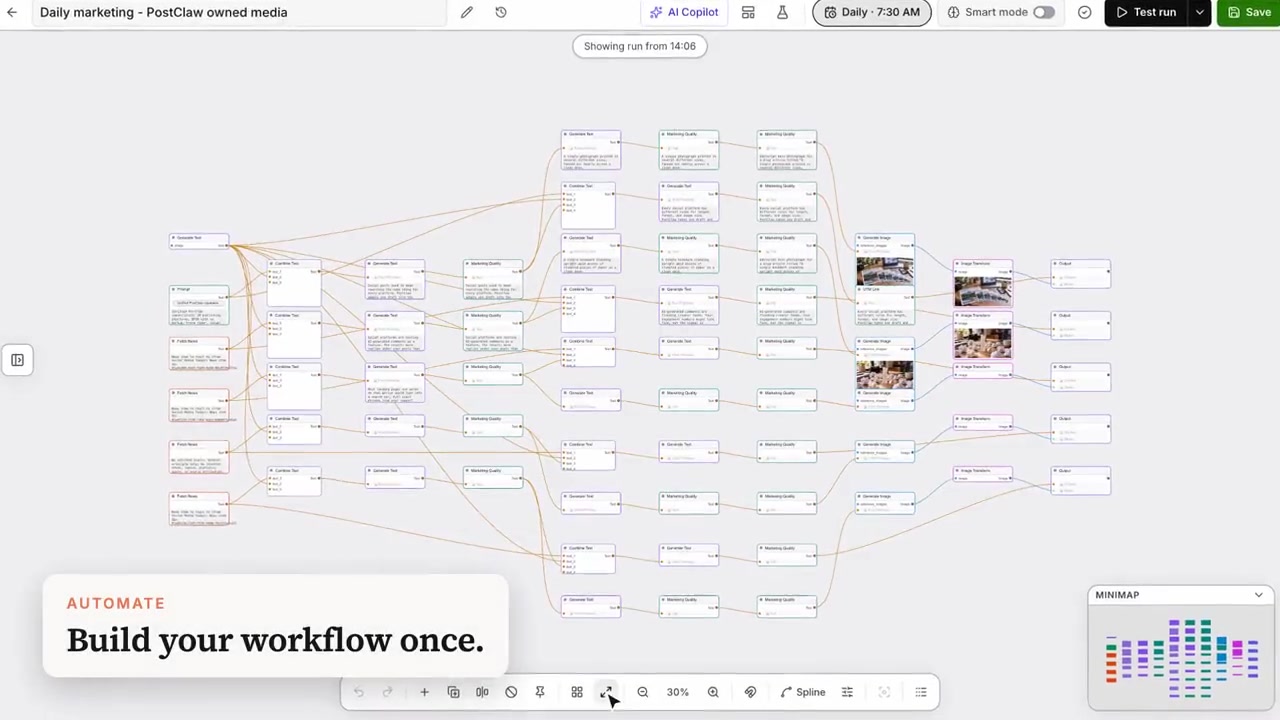
In PostClaw, a workflow is a visual graph of steps. A daily marketing workflow typically chains:
- Sources — trending stories in your topics, your own notes, or a fixed list of themes for each weekday.
- Writing — an AI step drafts a post per theme and per channel, in your brand voice.
- Checks — rule steps reject drafts that break your standards: too long for the platform, a banned word, a hashtag you do not want, a link in the body.
- Design — an image step generates a visual for each post, and an image step resizes it per platform.
- Links — tracking parameters are added to your URLs so you can see which posts bring visitors.
- Output — finished posts land as drafts in your queue, or get scheduled directly once you trust the workflow.
You build it once on the canvas, set a schedule (for example, every day at 7:30), and it runs on its own.
Start with drafts, earn your way to autopilot
The safest setup is to have the workflow produce drafts, not published posts:
- Every morning you open Posts → Drafts, read what it made, edit or delete, and schedule the good ones.
- After a couple of weeks you will know which branches are reliable. Switch those to schedule automatically and keep the rest on review.
Use Test run before you switch anything on. A test run executes the whole graph and shows each step's output, while skipping the steps that would publish, schedule or call webhooks.
Quality gates are the point
The difference between automated content and spam is the checks. Good gates are:
- Platform limits — character counts per network, required media for Instagram and TikTok.
- Voice rules — words you never use, a ban on hashtags or exclamation marks, no links in the first sentence.
- Format hygiene — plain text only, no "Here is your post:" preambles, no code fences.
When a draft fails a gate, the workflow stops that branch instead of publishing something broken. A failed branch is a cheap signal; a bad published post is not.
Keep the cost predictable
Image steps in workflows run on your own provider key on paid plans, billed by your provider at their price with no markup from us — so a daily run costs a handful of image calls, not a credit pack. See how bring-your-own-key works.
Where to start
You do not have to build a 60-step graph on day one. Start from a template — a daily news digest, a trending recap, or a simple cross-post — run it as a test, and add one step at a time.
Try it: start free at postclaw.fun — open Workflows, start from a template, and run it once as a test.